 Gregg Blanchard
As we talked about in the guide to tracking the day of week changes in sending patterns among your competitors, knowing the time of day that your competitors send emails is a key question many marketers ask when they start to do their first major competitor email analysis. On the simplest level, this insight helps you understand how your patterns relate to theirs, but it also has the opportunity to identify and uncover unique opportunities to compete against your competitors in ways that allow you to get your message in front of your audience first.
So how can you both identify and track on an ongoing basis the time of day that your competitors are typically sending their emails? Let’s dig in.
Time of Day Analysis for Individual Competitors
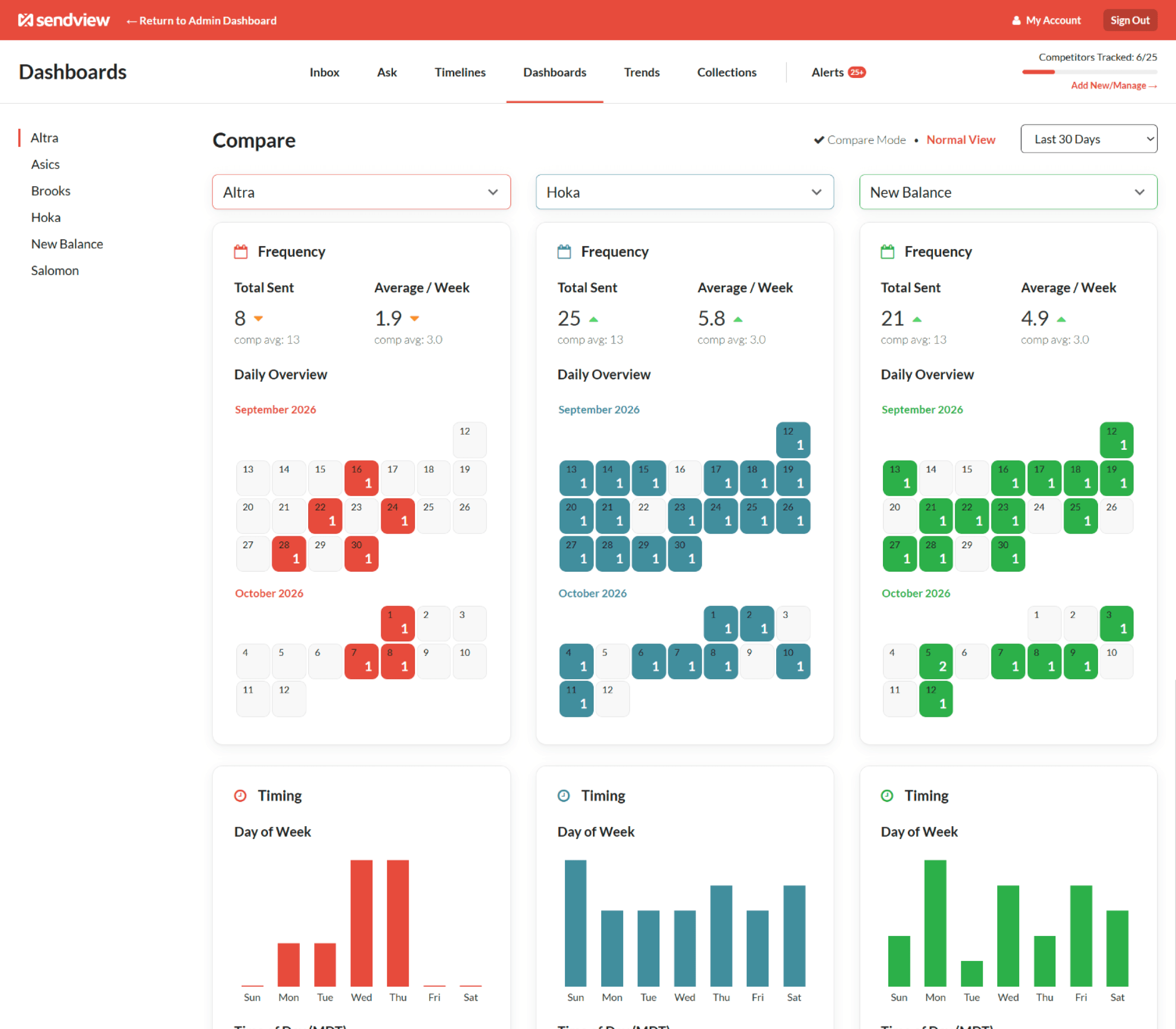
To see the time of day sending patterns of individual competitors within a SendView account, first log in and then head to the Dashboards tab. Once you’re on the Dashboard tab look on the left-hand side for the competitor you’d like to analyze. Click their name and you will see an simple overview of key insights into their sending behavior based on the data in your SendView account.
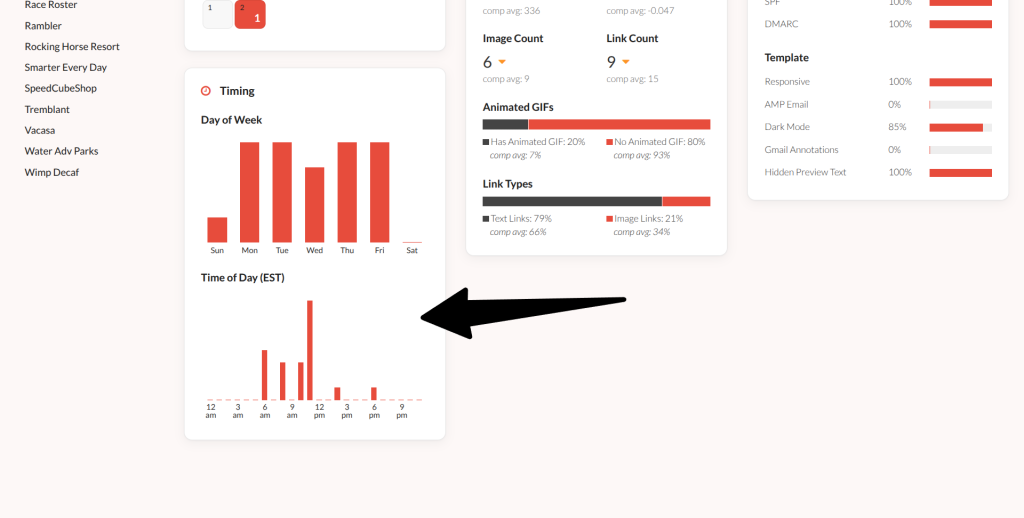
Like other dashboard reports you can easily toggle the date range you’re looking at in order to get a broader set of data and a more representative sample of their sending times. Below their email calendar is the timing section that will outline what time of day this competitor typically sends their emails.
Automated Alerts of Time of Day Changes
If you’d like to view the time of day sending patterns across all of your competitors head to the Trends tab. On the Trends tab look on the left-hand side toward the top and click the Time of Day link. This report shows you time of day sending patterns on aggregate across all of your competitors' emails that are in your SendView account.
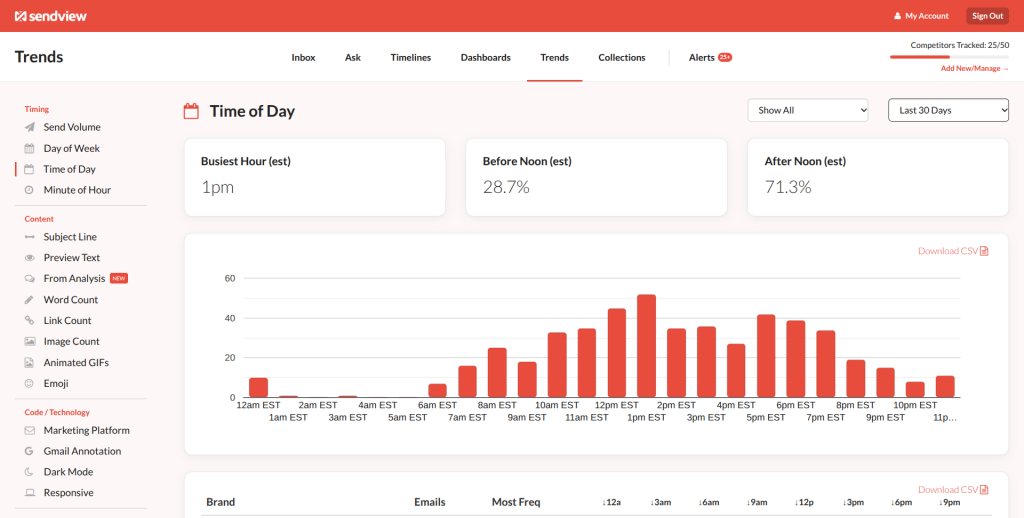
Just like other reports you can choose a predetermined date range or select a custom range. This will allow you to get a broader or more specific sample for both the main chart at the top as well as the breakdown that falls below that. Speaking of which, below the main chart will be a basic visualization of the time of day sending patterns for each competitor broken out.
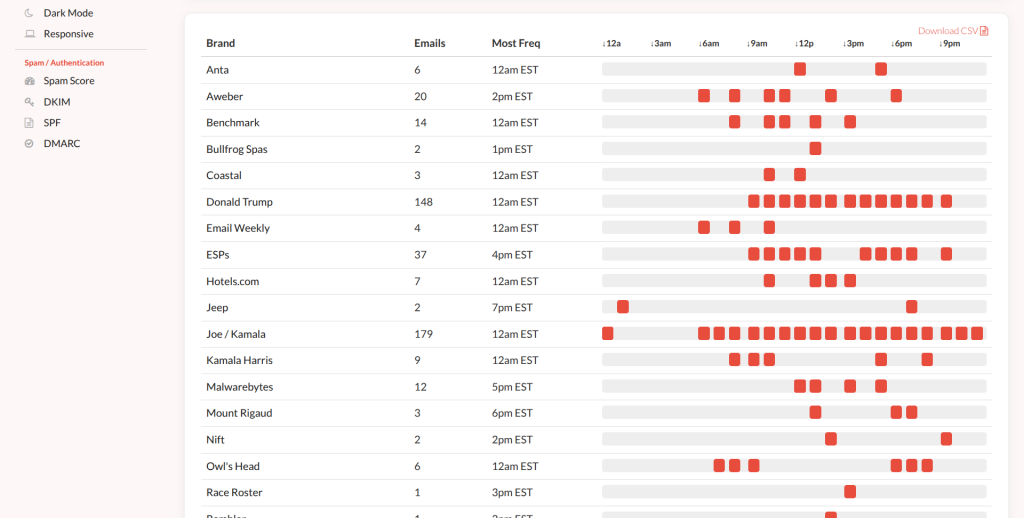
This view may not have the detail of the full dashboard view, but it will give you a good idea of which time of day your competitors typically send emails at a glance without having to click through to the Dashboard for each company.
Automated Alerts of Time of Day Sending Changes
SendView also includes a feature that will automatically alert you when the time of day sending patterns of a specific competitor change. You can find this in the Alerts tab that is accessed by clicking the link on the far right side of the main navigation. These alerts will show up in a drawer on the right side of your screen. Use the drop-down menu used to toggle to Time of Day to view all time of day alerts for your competitors.
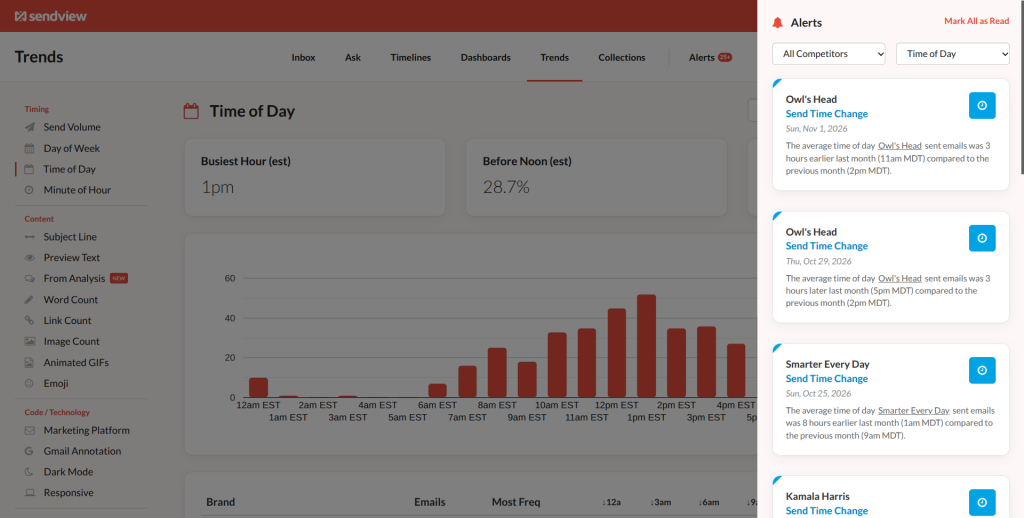
Again, these are created automatically by the system as it analyzes your data. If you’d like to view only the time of day patterns for a specific competitor use the other drop-down to limit the results to just that sender.
Easy, Automated Time of Day Competitor Email Insights
All of these features are included in every SendView account and are included for every user you track using your account. If you’d like to both easily identify the time of day sending patterns for your competitors and track any changes to those patterns as time goes on, SendView makes this simple and easy. Log into your account to view these reports today or start a free 10 day trial.