 Gregg Blanchard
When it comes to doing a competitor email analysis for the brands you compete most frequently with, understanding when they send their emails as one of the first questions you typically are curious about answering. And for a good reason. There are a lot of simple but meaningful opportunities unlocked when you understand the patterns behind how your competitors send their emails. One of the first questions at the top of this list is what day of the week your competitors send emails.
So how do you find which day of the week your competitors typically push out their campaigns? Let’s walk through how to find the answer to the simple but very helpful question.
Day of Week Analysis for Individual Competitors
Finding the day of week that a specific competitor typically sends emails is as simple as logging into your SendView account and, at the top of the screen, clicking the Dashboards tab. Dashboards are views of an individual competitor's email marketing tactics. For example, you can see their content calendar and start to surmise which day of the week most frequently send emails, but you can also just look at the chart below that calendar and see it spelled out very clearly with a simple chart.
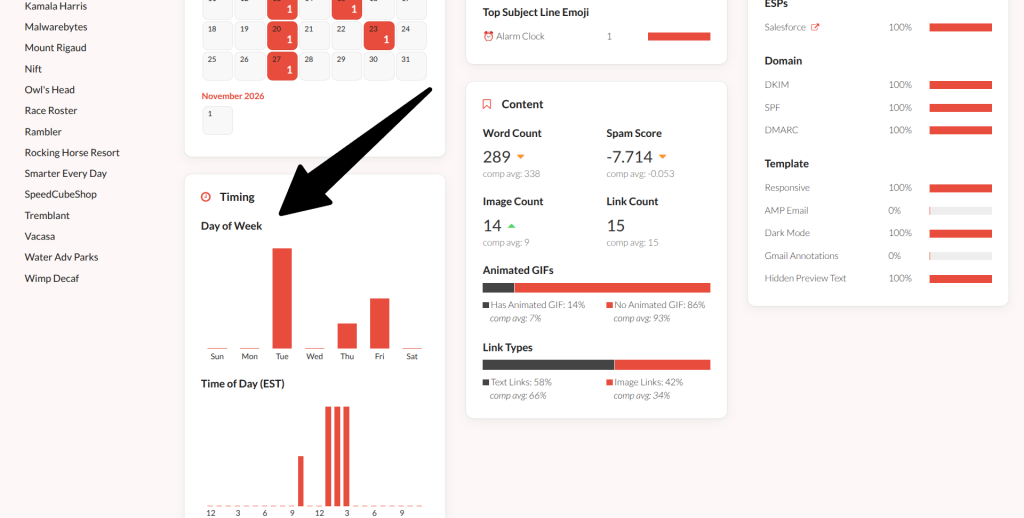
The default view for this report is 30 days so if you want to include a larger sample size to account for more days of the week in general, you can use the date picker and the top right to either select a larger window by default or choose exact dates that you can view this data.
Day of Week Analysis Across All Competitors
If you want to view the day of the week pattern sending patterns across all of your competitors, log into your SendView account and head to the Trends page. This is where you can view email marketing tactics across all of your competitors aggregated into a single chart. On the left-hand side you’ll see all of the trends reports options available. Right near the top you’ll see Day of Week. Click on that and you’ll see a chart that aggregates and breaks down the day of week sending patterns across all of your competitors.
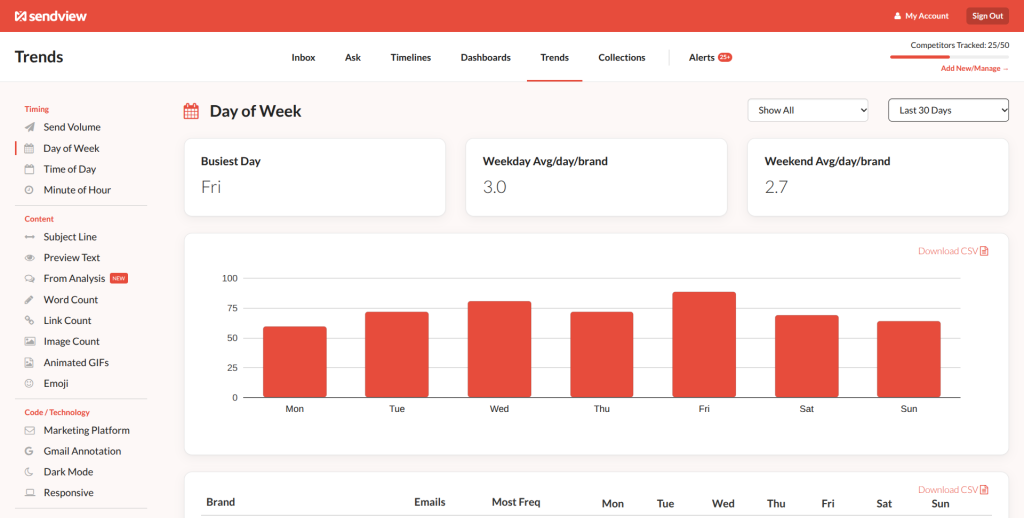
What’s especially helpful about this report is that below the chart each individual competitor's weekly sending patterns are illustrated with a bit of a heat map it’s not as exact as the dashboards, but it will give you a rough idea of when each competitor is most likely to send their email campaigns in terms of date of week.
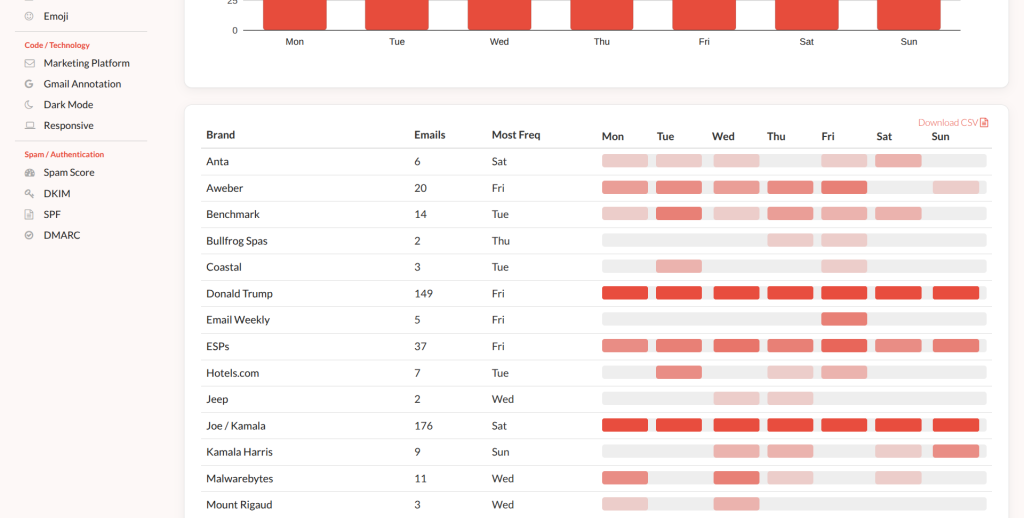
Just like the dashboards you will also be able to change the date range using the date picker in the top with one of the pre-determined date ranges or a custom date range that you specify.
Automated Alerts of Day of Week Changes
Another helpful aspect of this feature within SendView is that when these sending patterns change for any individual competitor you will get an alert of this change in behavior in the alerts tab. The alerts tab sits on the far right side of the navigation menu at the top of the window. Click that the word Alerts and a drawer will open with all of the changes and sender behavior that have been identified by the system. At the top of that drawer, you’ll have two options to either select a specific competitor or a specific alert type to view.
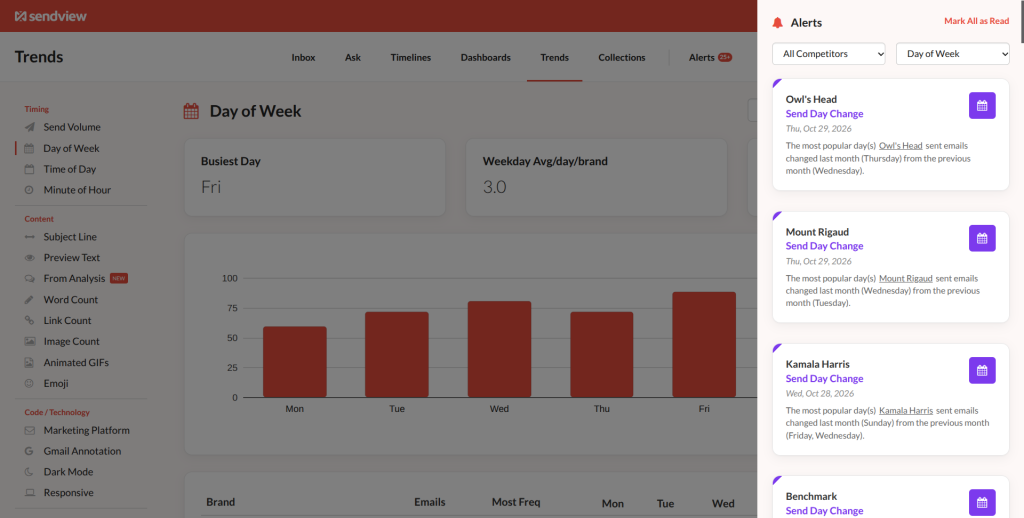
Select either an individual competitor to just view their alerts, select just the Day of Week alerts to filter out all others, or do both.
Easy, Automated Day of Week Competitor Email Insights
All of this is default in a SendView account making it a very easy way to both identify sending patterns of individual competitors and aggregate sending patterns across all of your competitors, plus get notified when those patterns change without having to analyze all the data yourself.
To give this report a try either log into your account or start a free 10 day trial.